Compare financial documents instantly with AI.
PDFCompare helps fund industry teams visually compare factsheets, KIIDs, prospectuses, and other regulated documents instantly, side by side — with precision and clarity.
Stop reading line by line. Start seeing what changed.
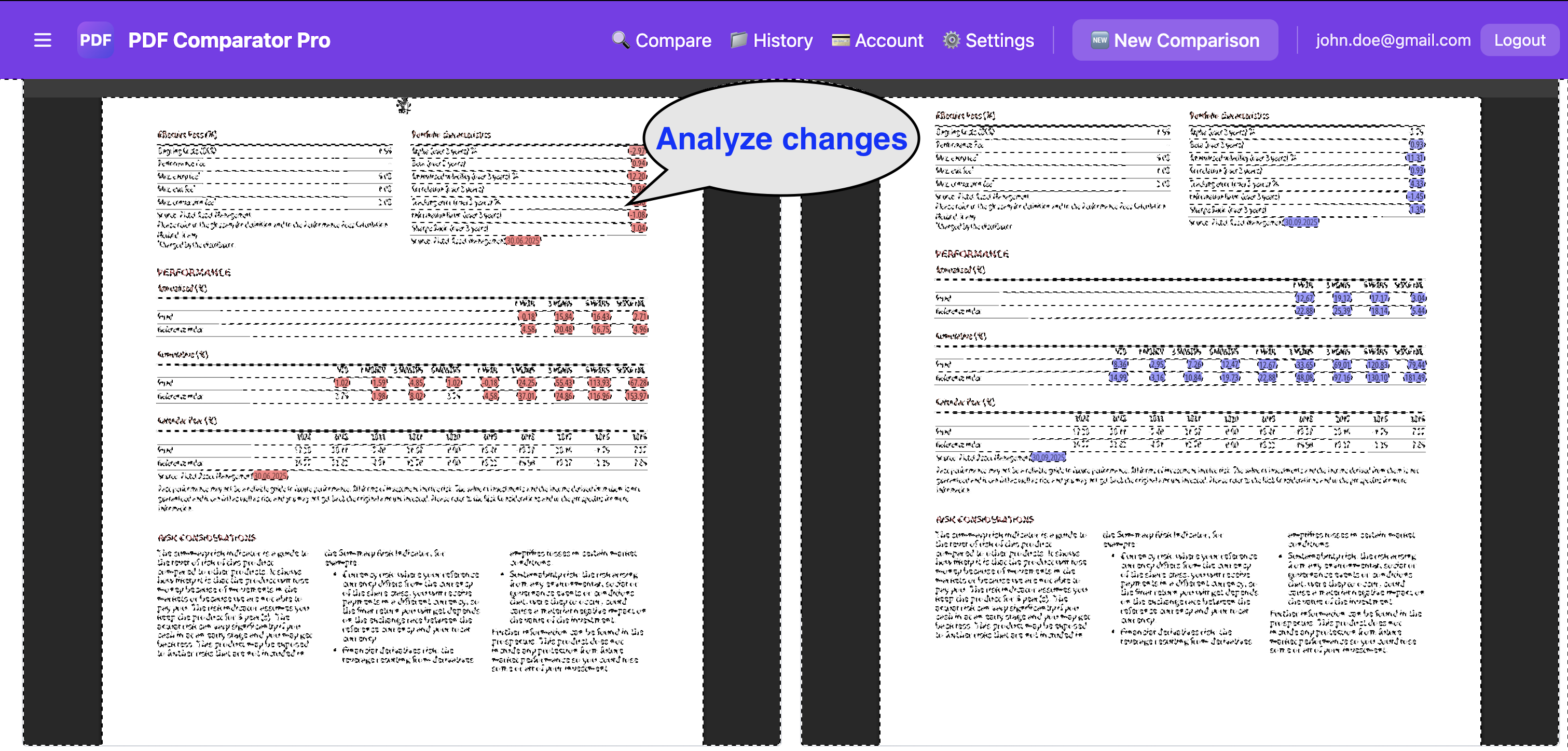
PDFCompare allows users to upload two versions of a financial document and view them side by side. Changes are highlighted visually, helping teams spot differences immediately. An AI assistant can then answer questions about the content and summarise key changes.
Built for regulated financial documentation
Why teams use PDFCompare
Detect changes quickly
Instantly highlight differences between two document versions with visual precision.
Reduce manual review time
Eliminate hours of side-by-side manual reading. Focus on what actually changed.
Improve review consistency
Standardise your review process across teams with a reliable, repeatable tool.
Understand updates faster
AI-assisted summaries help reviewers grasp the significance of each change.
Support compliance checks
Facilitate regulatory compliance workflows and internal document control processes.
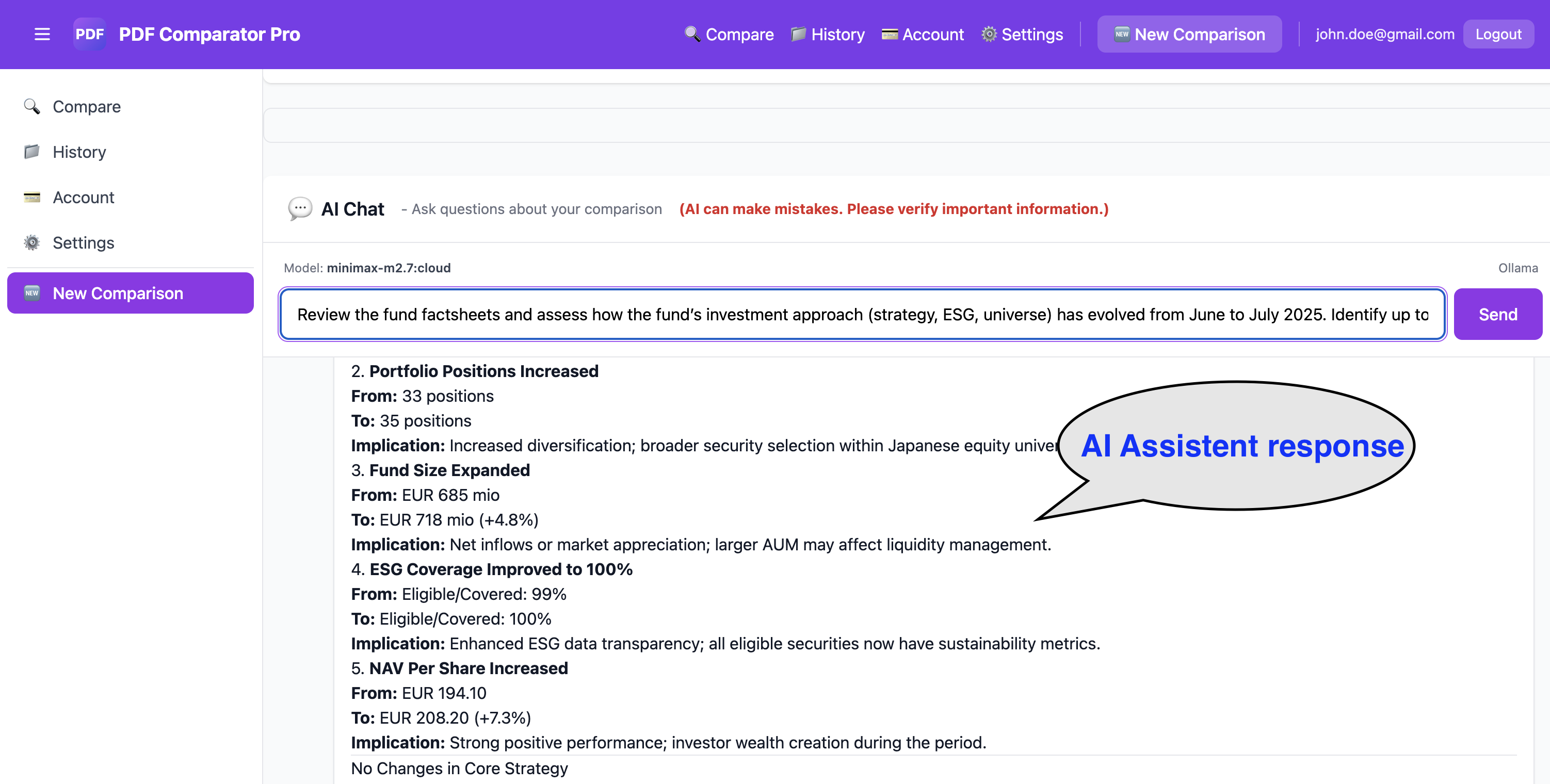
Ask questions directly on the compared documents
PDFCompare includes an AI assistant that helps users understand document content, summarise differences, and answer targeted questions on the uploaded files.
Whether you need a quick summary of what changed or a detailed explanation of a specific clause, the assistant is ready to help.
See changes side by side
Looking for a pilot use case?
We are currently presenting PDFCompare to selected professionals in the fund industry and welcome discussions around pilot projects and real-world testing.
Book a Demo